P1MeterKit
Compact P1 reader with native Home Assistant integration and fast MQTT updates.
- •Realtime DSMR data inside Home Assistant over Wi-Fi.
- •Reserve one of the five P1SplitterKit ports for your P1MeterKit so the remaining ports stay open.
The P1SplitterKit is an active hardware splitter with electrical isolation and signal amplification that divides your P1 port into 5 independent outputs. Connect multiple devices simultaneously without interference or data loss – each device gets its own protected connection.
5 independent outputs: A Dutch product built with quality. Each port is electrically separated – interference from one device does not affect the others. Signal amplification also enables longer cable runs.
Plug & play installation: No software, no complex configuration – pure hardware that splits your P1 signal. LED status indicators per output instantly show which devices are receiving data.
1→5 P1 verdeling
With the P1SplitterKit you can connect up to 5 different devices to your smart meter at once. Works with all popular P1 dongles like HomeWizard, Powerbaas and Iungo. Compatible with EV chargers from Alfen, EVBox, Easee, Zaptec and Wallbox. Supports inverters from GoodWe, Huawei, SolarEdge and SMA. Perfect for dynamic energy contracts from Tibber, EasyEnergy and ANWB Energie.
The P1SplitterKit is compatible with all DSMR v2, v3, v4 and v5 meters from Landis+Gyr, Kaifa, Kamstrup and Sagemcom. Includes 1 meter RJ12 cable. Plug & play installation in less than a minute: connect the cable, attach your devices and use the slide switch to choose between P1 port or USB-C power. Status LEDs per output show instantly if your devices are receiving data.

" Finally I can use my P1MeterKit, Alfen charger and DSMR Reader simultaneously without interference. The electrical isolation ensures that problems with one device do not affect the rest. The 5 ports are exactly what I needed! "
Flexible power
The P1SplitterKit offers two power options so you can always make the best choice for your situation. The convenient slide switch on the side lets you easily switch between both options.
Do you have a DSMR v5 meter? Then the P1SplitterKit draws its power directly from the P1 port of your smart meter. No extra cables or adapters needed – just connect and go. The power LED indicates that power is active. Ideal for a clean installation with minimal cables in your meter cabinet.
Do you have an older meter (DSMR v2, v3 or v4) or are you connecting many devices? Then use the USB-C connection for external power. Connect a standard USB-C cable to an adapter or power bank. A separate LED shows that USB-C power is active. This ensures maximum stability, even with 5 devices connected or with longer cables.
Side slide switch: Easily switch between P1 power and USB-C power
Extend your smart meter
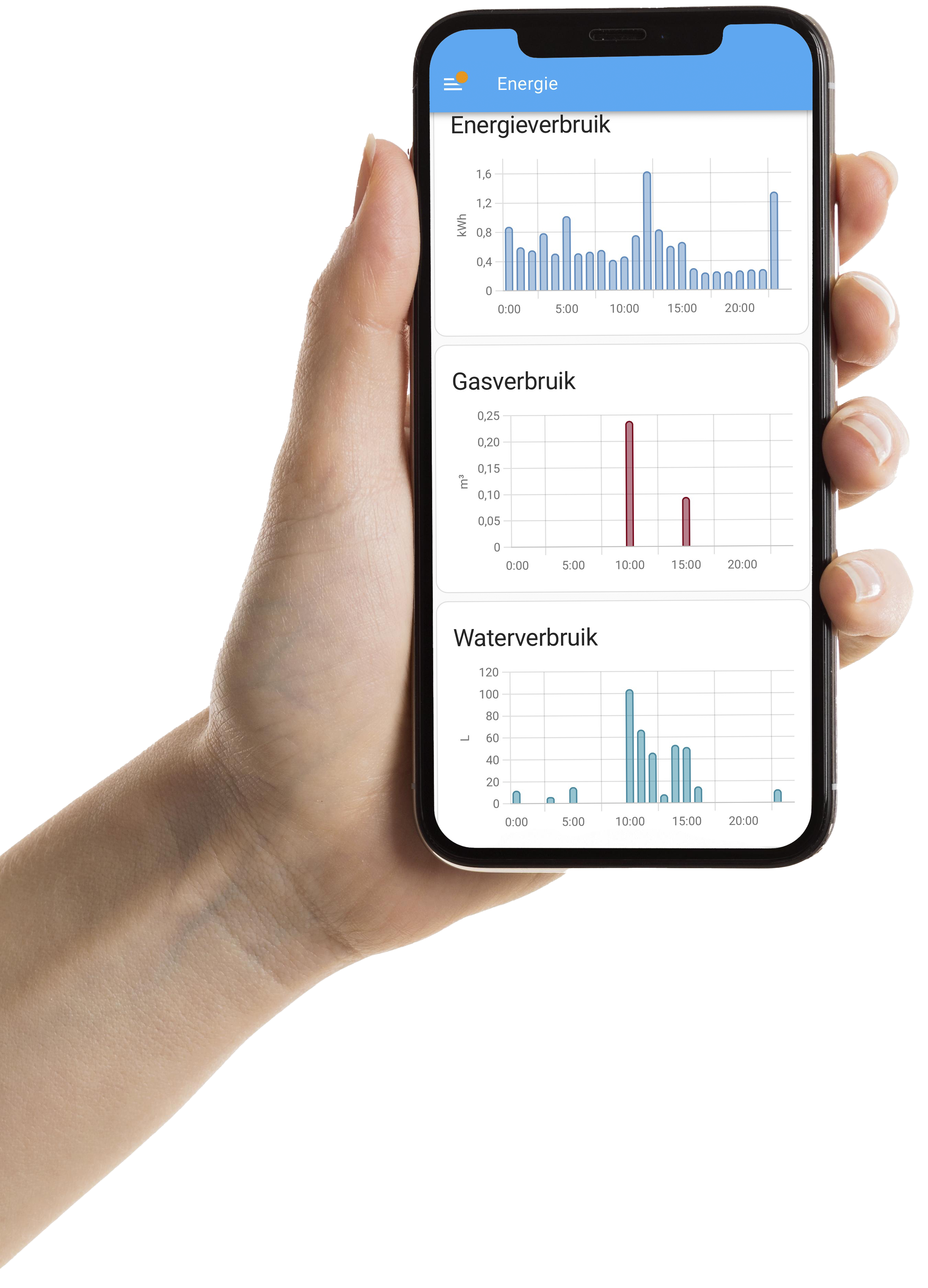
Pair the P1SplitterKit with our P1MeterKit or WaterP1MeterKit for a complete energy and water monitoring stack. Both kits plug straight into Home Assistant for live dashboards.
Compact P1 reader with native Home Assistant integration and fast MQTT updates.
Water and energy sensing with Home Assistant integration, Ethernet, and PoE for rock-solid logging.
The P1SplitterKit is an active hardware-based splitter that divides your DSMR energy meter P1 port into 5 outputs. With electrical isolation and signal amplification, you can connect multiple monitoring devices simultaneously like a P1MeterKit, charging station monitoring, DSMR Reader, energy managers and Home Assistant setups without data loss or interference.
Yes, the P1SplitterKit is universally compatible with all DSMR v2, v3, v4 and v5 meters in the Netherlands, Belgium and the rest of Europe. The device works with all well-known brands such as Landis+Gyr, Kaifa, Kamstrup and Sagemcom. Simply insert the RJ12 cable from your energy meter into the input and connect your devices to the 5 outputs.
The P1SplitterKit has LED status indicators for each output. Each light blinks when data is being transmitted to the connected device. Additionally, there are separate lights that indicate whether the device is powered via the P1 port or via USB-C. This way you can immediately see if a connected device is correctly receiving data, without additional checks or apps.
Yes, the P1SplitterKit has flexible power options. With the slide switch on the side you can choose between power via the P1 port (for DSMR v5 meters) or external power via USB-C. For DSMR v5 meters, additional power is usually not needed. For DSMR v2, v3 or v4 meters or when using multiple devices, USB-C power is recommended.
No, the P1SplitterKit amplifies the signal and distributes it to all 5 outputs. Thanks to electrical isolation and signal amplification, all connected devices receive exactly the same reliable dataset, even with longer cables. There is no software that can affect the signal.
Electrical isolation means that each port works completely separate from the other ports. This has major advantages: if one device causes interference, the other devices will not notice. Your smart meter remains protected and each device gets its own safe, independent connection.
An active P1 splitter like the P1SplitterKit amplifies and isolates the signal per port, while a passive splitter is merely a Y-cable that weakens the signal. An active splitter prevents interference and conflicts between devices. Passive splitters often cause problems as soon as multiple devices read data simultaneously.
Yes, because the P1SplitterKit amplifies the signal, you can use longer cables without quality loss. This way you can place your devices exactly where you need them, even if that is further from the meter cabinet. This is a major advantage over passive splitters.
Yes, the P1SplitterKit works excellently with charging stations from all well-known brands such as Alfen, EVBox, Easee, Zaptec, Wallbox and Charge Amps. Many charging stations use P1 data for load balancing to prevent overloading your connection. With the P1SplitterKit this continues to work stably, even with other devices connected.
Yes, the P1SplitterKit supports connections with inverters from GoodWe, Huawei, SolarEdge, SMA, Growatt, Fronius and Enphase among others. This allows you to monitor both consumption and feed-in in one overview. Connect your inverter gateway and other monitoring devices simultaneously without conflicts.
The P1SplitterKit comes with a 1 meter RJ12 cable to get started right away. For additional devices you need extra RJ11 or RJ12 cables. Difference between RJ11 and RJ12: RJ11 has 4 pins/contacts (narrower), RJ12 has 6 pins/contacts (wider) and is standard for DSMR P1 ports. Most P1 monitoring devices come with the correct RJ12 cable.
The P1SplitterKit has 5 outputs, so you can connect a maximum of 5 devices simultaneously. This is more than most competitors offer (often only 2-4 ports). More than sufficient for Home Assistant, DSMR Reader, charging station monitoring, energy managers, inverter gateways and backup systems.
No, installation is plug & play and takes less than a minute. No configuration needed: 1) Connect the RJ12 cable from your energy meter to the input, 2) Connect your monitoring devices to the 5 outputs, 3) Choose power via the slide switch (P1 or USB-C). The LED lights immediately indicate if everything works correctly.
For more than 5 devices you can chain multiple P1SplitterKits in series, or use an output from the first splitter as input for a second splitter. This gives you additional outputs without signal quality loss thanks to the signal amplification.
Yes, the P1SplitterKit distributes the complete DSMR signal including all data such as electricity, gas, water (if available), temperature and other sensor data that your P1 meter outputs. All connected devices receive the same complete dataset.
Yes, the P1SplitterKit is fully compatible with DSMR and ESMR smart meters used throughout Europe. This includes meters from Landis+Gyr, Kamstrup, Sagemcom, Kaifa and other European manufacturers. Both Dutch, Belgian and other European smart meters are supported.
Yes, with dynamic energy contracts from providers like Tibber, EasyEnergy, ANWB Energie, Zonneplan or Frank Energie, real-time P1 data is crucial. The P1SplitterKit makes it possible to reliably have multiple apps and devices monitor your consumption simultaneously for optimal energy savings.
Yes, many heat pumps and boilers use P1 data to switch smartly and save energy. With the P1SplitterKit you connect these safely alongside other devices. Brands like Daikin, Mitsubishi, Samsung, Vaillant and Bosch that support P1 integration work seamlessly with the splitter.
Yes, all well-known WiFi P1 dongles and meters work seamlessly with the P1SplitterKit. This includes HomeWizard P1 Meter, Powerbaas, Iungo, SmartStuff and of course our own P1MeterKit. You can even connect multiple different P1 dongles simultaneously without interference or conflicts.
Yes, thanks to electrical isolation, your smart meter is fully protected against interference from connected devices. The P1SplitterKit electrically separates each device, so problems with one device can never affect your meter or other devices.